Bookings
When a client accepts a quote, you convert it into a booking. Bookings track the operational side of a confirmed trip: passenger details, payments, and status from deposit through completion.
Creating a Booking
Bookings are created from quotes, not from itineraries:
- Open the quote detail page (B2C or B2B)
- Click Convert to Booking
- The booking is created and linked to the quote
Viewing Bookings
Go to Bookings in the sidebar (Sell group). Stat cards at the top show Total Bookings, Pending Deposit, Confirmed, In Progress, and Completed counts. Use the status filter dropdown to narrow the list, and the B2C / B2B tabs to switch between direct-client and partner bookings.
A booking moves through six statuses:
- Pending Deposit — Created, waiting for the first payment
- Confirmed — Deposit received, trip is confirmed
- Paid in Full — The full amount has been paid
- In Progress — Client is currently traveling
- Completed — Trip finished
- Cancelled
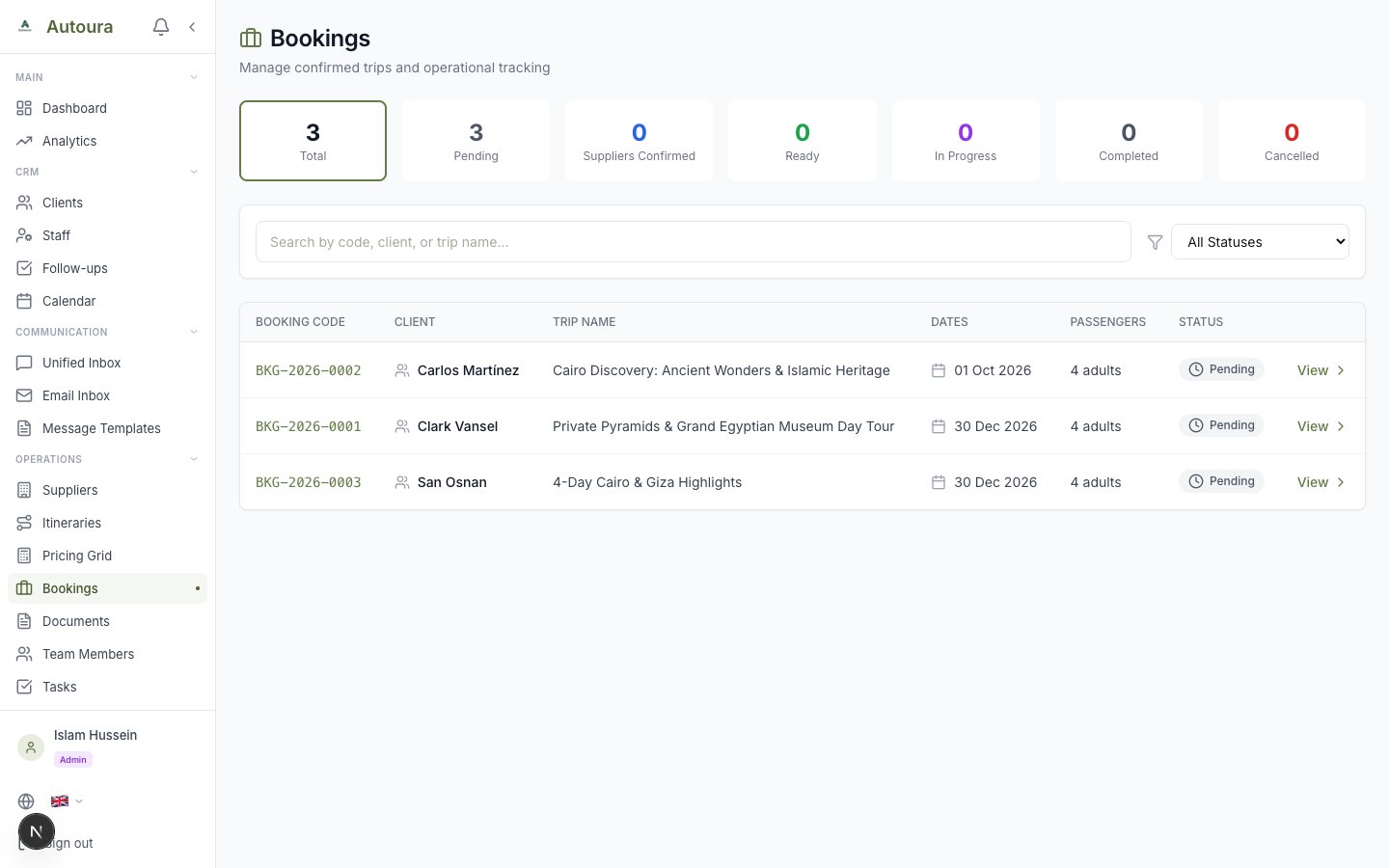
All Bookings list page with stat cards, status filter, and booking rows
Booking Detail Page
Click any booking to open it. The detail page has four tabs:
Overview Tab
Shows the core booking information alongside a Payment Summary with a progress bar indicating the percentage paid so far.
Screenshot: Booking detail Overview tab with booking information and Payment Summary progress bar
Passengers Tab
The full passenger manifest. Add, edit, or remove passengers with:
- Title, first name, and last name
- Date of birth and nationality
- Passport number
- Passenger type (adult, child, etc.)
- Lead-passenger flag
- Contact details
Screenshot: Passengers tab with the manifest list and add-passenger form
Payments Tab
Every payment recorded against the booking, with payment number, type, status, amount, method, date, reference, and notes. Payment types are deposit, installment, balance, and full payment.
Documents Tab
A placeholder for now — document management for bookings will be available soon.
Sending Booking Confirmations
For B2C bookings, the header offers Send Email and WhatsApp actions to send the client a booking confirmation.