Resources & Documents
Suppliers
The Suppliers page (Suppliers & Rates → Suppliers) is where you manage the companies and people you work with: hotels, transport companies, guides, restaurants, cruise operators, and more — 12 supplier types in total.
- Views — Switch between grid, table, and list layouts, and filter by supplier type or status
- Add Supplier — Create a supplier with contact details and type
- Supplier Modal — Open any supplier to work across four tabs: Details, Rates (the rates tied to this supplier), Properties, and Documents
- Property Hierarchy — Hotels, restaurants, and cruises support parent/child records, so a chain can hold its individual properties
- CSV Export — Download your supplier list as a spreadsheet
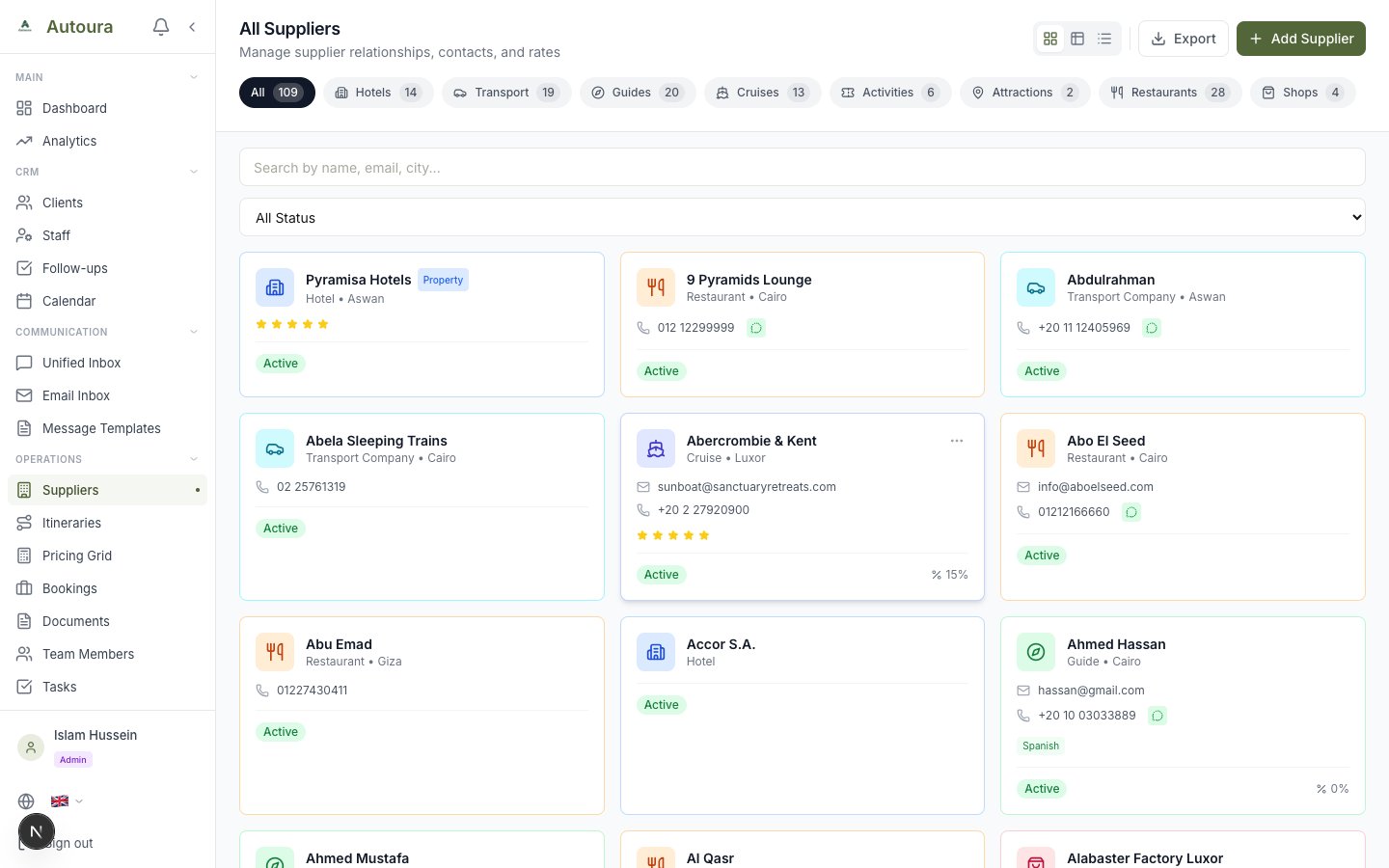
Suppliers page with type filters, view switcher, and supplier cards
The Resources Page
There is also a Resources overview page (not in the sidebar) with tabs for Guides, Vehicles, Hotels, Restaurants, Airport Staff, and Hotel Staff. Use it to browse; for adding and editing resources, use the Suppliers page above, and for pricing use the Rates category pages.
Documents
The Documents page is a hub of link cards in two groups:
- Customer Documents — Contracts and invoices for clients, generated from the itinerary pages
- Supplier Documents — Vouchers and service orders, browsable by type
Supplier Document Types
| Document | Purpose |
|---|---|
| Hotel Vouchers | Accommodation confirmations |
| Transport Vouchers | Transfer and transportation orders |
| Cruise Vouchers | Nile cruise booking confirmations |
| Activity Vouchers | Tours and excursion confirmations |
| Guide Assignments | Guide briefings and assignments |
| Service Orders | General service instructions |
Generating & Sending Documents
- Generate supplier documents from any itinerary using its Documents button — documents are auto-grouped by supplier from the itinerary's services
- Send vouchers directly to suppliers via Email or WhatsApp
- Track the confirmation status of each document
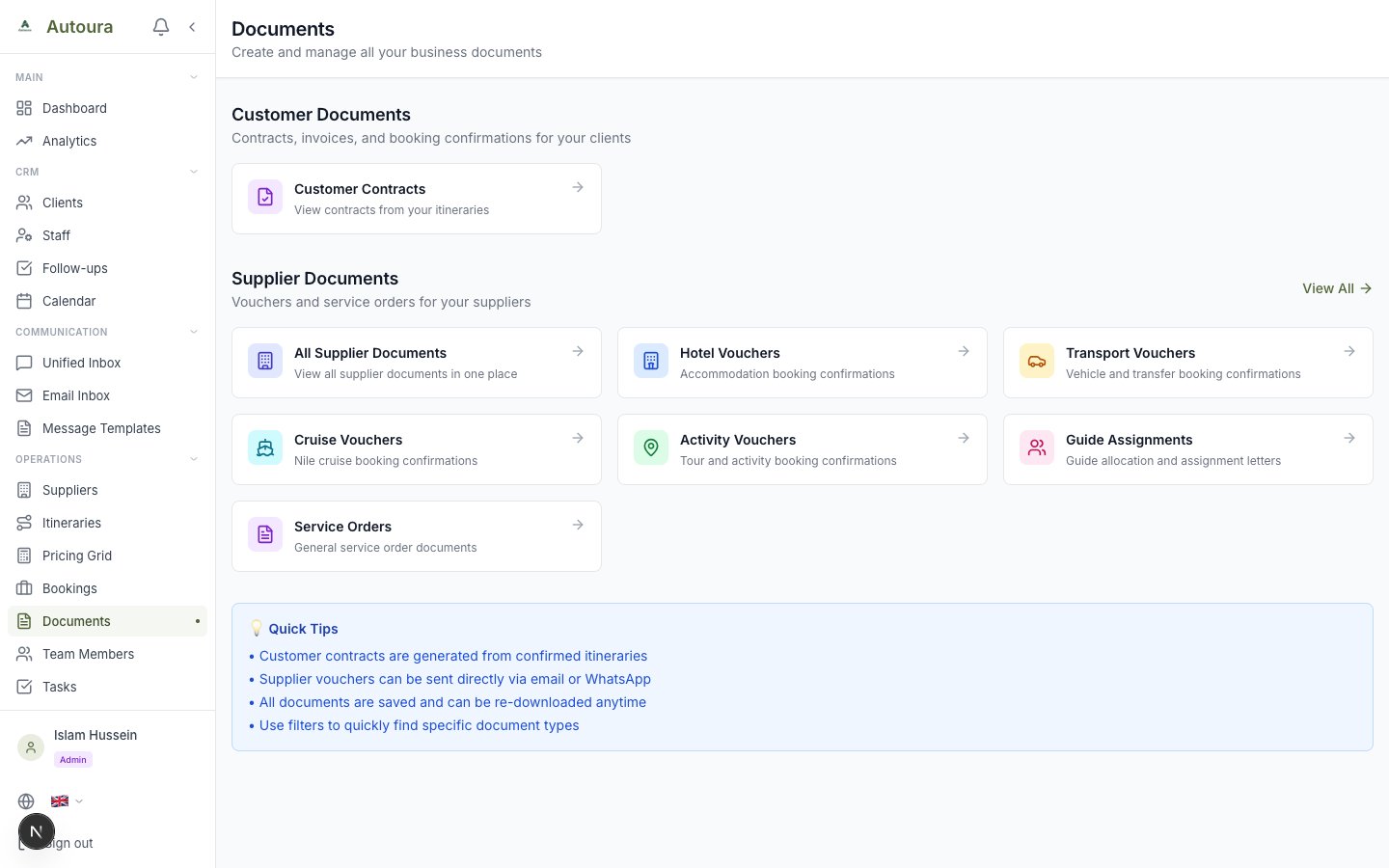
Documents hub with Customer Documents and Supplier Documents link cards
Content Library
The Content Library stores reusable descriptions of your destinations, attractions, and hotels. Each entry can hold per-tier variations (budget, standard, deluxe, luxury) so the right wording flows into the right tier of itinerary. Browse with the category pills and search, and use Add Content to create entries. The AI Prompts and Writing Rules subpages let you tune how AI-generated content matches your brand voice.
See Content Library for the full guide.