Tours & Rates
Tour Inventory
Pre-built tour packages you can browse and price instantly.
Browsing Tours
- Go to Tours → Tour Inventory in the sidebar
- Filter by Tier or Category, or search — the search matches tour names, descriptions, and cities
- Click a tour to see the full details
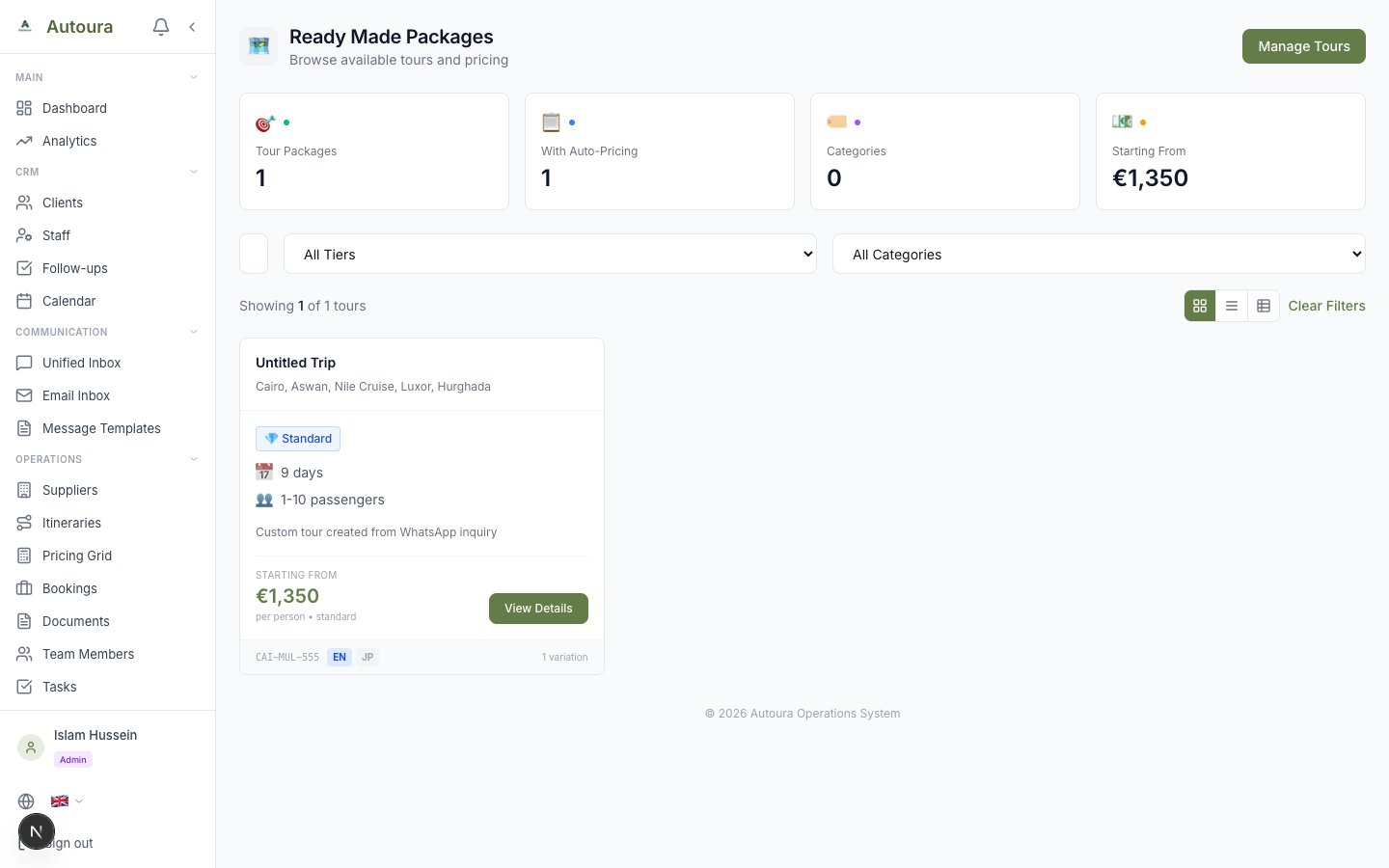
Tour Inventory page with tier and category filters and tour cards
Tour Detail Page
Each tour shows:
- Description and key highlights
- Day-by-day itinerary with cities, activities, and meals
- What's included and what's not included
- Instant price calculator — enter the number of travelers and passport type for an immediate price
Tour Tiers
Tours come in up to four tiers:
- Budget — Basic accommodation and services
- Standard — Mid-range quality
- Deluxe — Premium options
- Luxury — Top-tier everything
Screenshot: Tour detail page with the instant price calculator and day-by-day breakdown
Managing Tour Templates
Packages are created and edited in the Tour Manager (Tours → Tour Manager), where you manage templates, variations, and day-by-day itineraries. See Tour Manager for the full guide. To schedule dated departures on a template, use Operations → Tour Departures.
Rates
All your buying rates live under the Suppliers & Rates sidebar group, in four subgroups (Accommodation, Transport & Tickets, Guides & Services, Costs). The Rates Hub entry opens the Rate Management overview, and each of the 14 rate categories has its own page beneath it.
Rate Categories
| Category | What It Covers |
|---|---|
| Hotels | Room rates by city and tier |
| Nile Cruises | Cruise rates by ship and cabin |
| Sleeping Trains | Overnight train rates by cabin type |
| Flights | Domestic flight rates |
| Trains | Regular (daytime) train rates |
| Meals | Lunch and dinner rates by quality tier |
| Attractions | Entrance fees, with European and non-European prices |
| Tour Guides | Guide rates by language and grade (e.g. Egyptologist, senior), plus a “throughout” guide who accompanies the whole trip |
| Activities | Optional activities and excursions |
| Transportation | Vehicle rates by type and group size |
| Airport Services | Meet & greet, transfers, and similar services |
| Hotel Services | Extra services provided at hotels |
| Tipping | Tipping rates by service type |
| Fixed Costs | Fixed per-tour cost items |
Rate Management Overview
Rates Hub opens the Rate Management page: a tabbed table view of all your rates with stats cards, search, and city/category/tier filters. From here you can also export to CSV or print the current view.
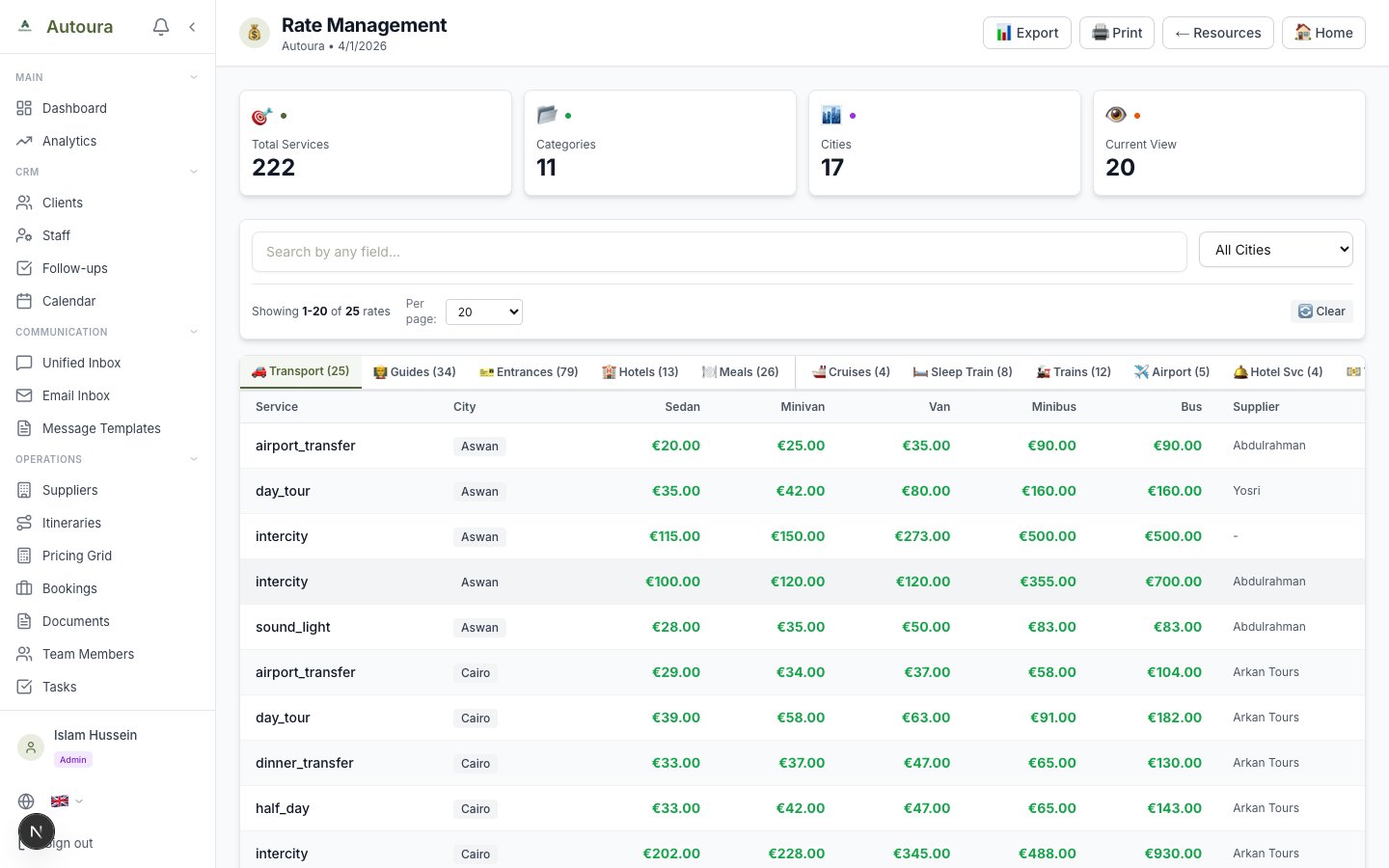
Rate Management page with stats cards, category tabs, filters, and the rates table
Adding or Editing a Rate
Adding and editing happens on the individual category pages, not the overview:
- Open the relevant category from the sidebar (e.g., Suppliers & Rates → Accommodation → Hotels)
- Add a new rate or click an existing rate to edit
- Fill in the details and save
EU vs Non-EU Pricing
Some rates (notably attraction entrance fees) have different prices for European and non-European passport holders. Make sure to set both when adding rates.
Suppliers & Rates
Supplier records live in Suppliers & Rates → Suppliers. Each supplier has its own Rates tab, so you can see and manage the rates tied to a specific hotel, transport company, or other provider in one place. See Suppliers for the full guide.
Importing rates from a spreadsheet
Each rate category has its own CSV import, so you can load a whole contract at once instead of typing rows. Every rate sheet carries a supplier code column, so each rate attaches to the right supplier — and a rate whose code is not yet in your organization is reported and skipped rather than guessed. See Bulk Import (CSV) for the shared rules and Suppliers for why the code matters.
Labels in your own words
The category names you rate against — and the wording throughout the hub — follow your Vocabulary. If your team calls a guide a “lecturer” or a tour a “programme”, relabel it once and the Rates Hub reads in your words.